Is Headless WordPress Actually Faster? We Tested It to 50,000 Posts
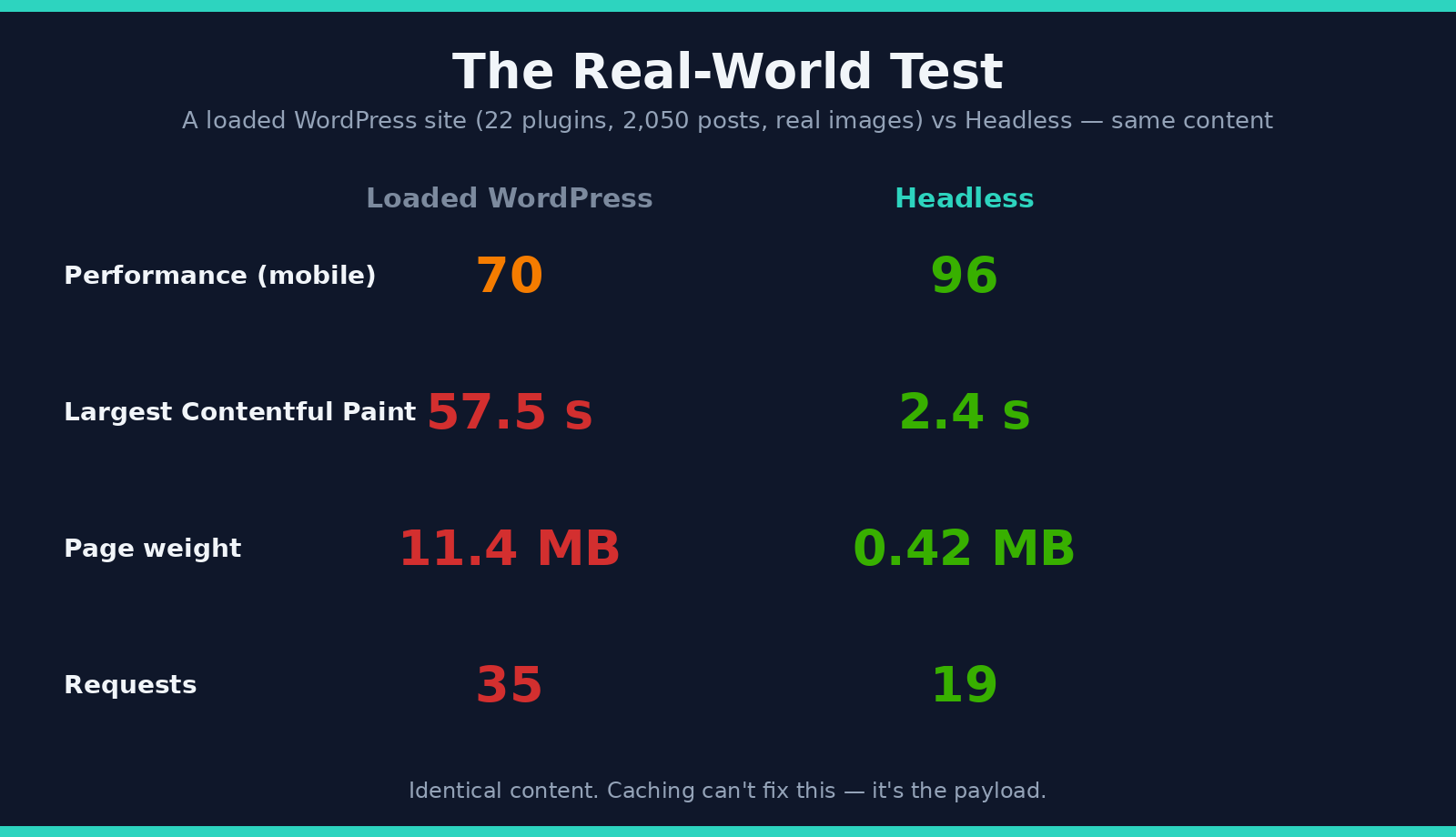
We didn’t just benchmark a toy site — we ran a controlled study up to 50,000 posts, optimized both sides fairly, and measured everything. Here’s the honest answer to “is headless WordPress actually faster?”
We kept it fair
- Same server, same content — a traditional WordPress site and a headless (WordPress + Next.js) site, fed by the same WordPress backend.
- Images optimized on both (resized + WebP) — no rigged comparison.
- A realistic site: 22 active plugins (WooCommerce, Elementor, Yoast, Jetpack…), and a database scaled from 5,000 to 50,000 posts.
- Measured with Google PageSpeed / Lighthouse, plus real load tests.
On a clean site? It’s a tie.
We’ll be upfront: on a small, clean install, WordPress and headless score about the same (mobile 94 vs 97). If your site is small and simple, you don’t need headless for speed. The difference shows up when a site grows into a real business site.
On a real, optimized site — headless pulls away
Realistic homepage, both image-optimized:
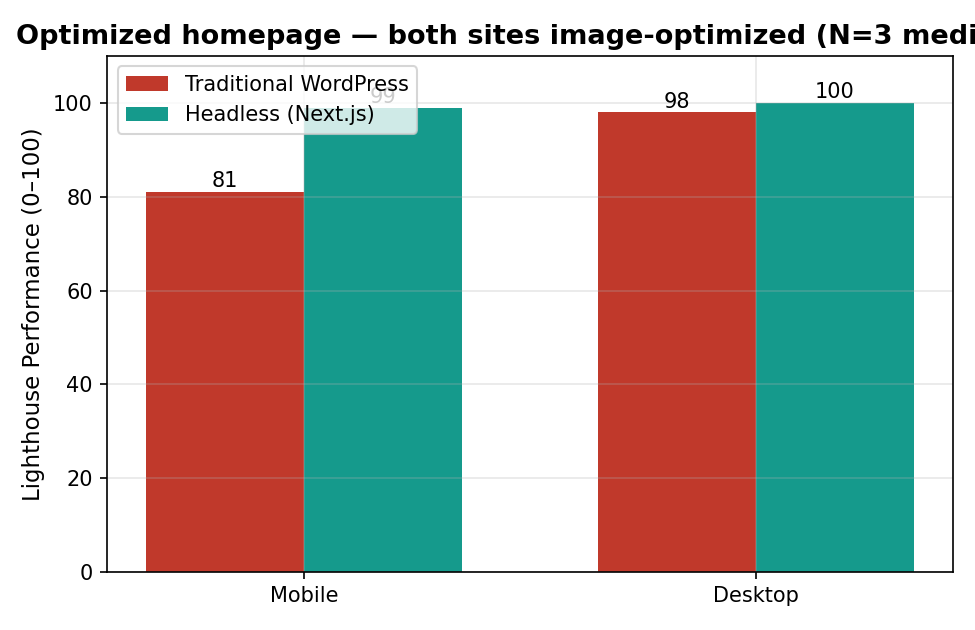
| Homepage | WordPress | Headless |
|---|---|---|
| Performance (mobile) | 81 | 99 |
| SEO | 92 | 100 |
| Mobile load (LCP) | 4.2 s | 1.9 s |
| Page weight | 0.93 MB | 0.39 MB |
Same images, same content — the gap is the JavaScript and CSS that plugins load on every page. Headless simply never ships it.
Does it still win at scale? Yes — all the way to 50,000 posts
We grew the database 10× and re-measured at every step. The headless advantage didn’t shrink — it stayed flat:
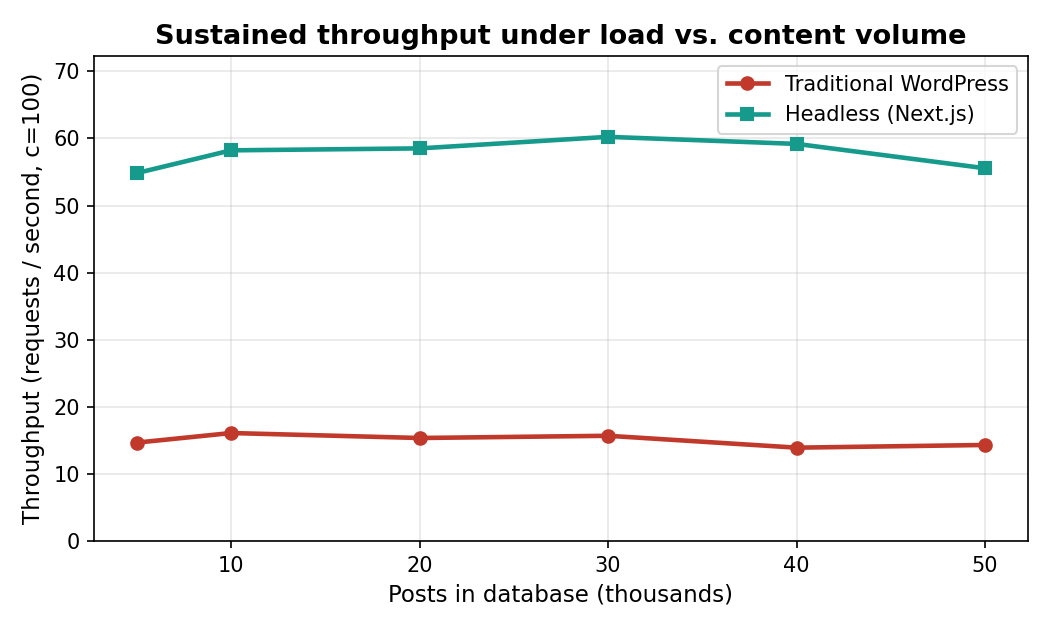
- ~12× faster server response (TTFB) — headless ~22 ms vs WordPress ~300 ms, the whole way.
- ~4× more traffic handled — headless sustained ~57 requests/sec vs WordPress ~14, at every database size.
- Mobile performance held at ~98 (headless) vs ~80 (WordPress) from 5k to 50k posts.

“Just add caching to WordPress”?
We tried. Page caching helps your server handle more traffic — but it does nothing for the visitor: mobile performance stayed at 81 and the page stayed just as heavy. Caching can’t shrink your JavaScript or your images. Headless does, by design.
So — when should you go headless?
- Your WordPress is plugin-heavy and feels slow on mobile.
- You care about mobile speed, SEO, and Core Web Vitals.
- You expect traffic spikes or are growing.
- You want a smaller security attack surface (CMS + plugins off the public site).
And stick with classic WordPress if your site is small, simple, and edited by non-developers — you won’t gain much.
Want a headless WordPress + Next.js site built right — automatic image optimization, lean output, a deploy that scales? That’s exactly what our Headless WordPress + Next.js Starter Kit generates with Claude Code. DIY the kit, or have us set it up for you.